


Product Highlights

1-year warranty

Via WhatsApp

Full HD touchscreen
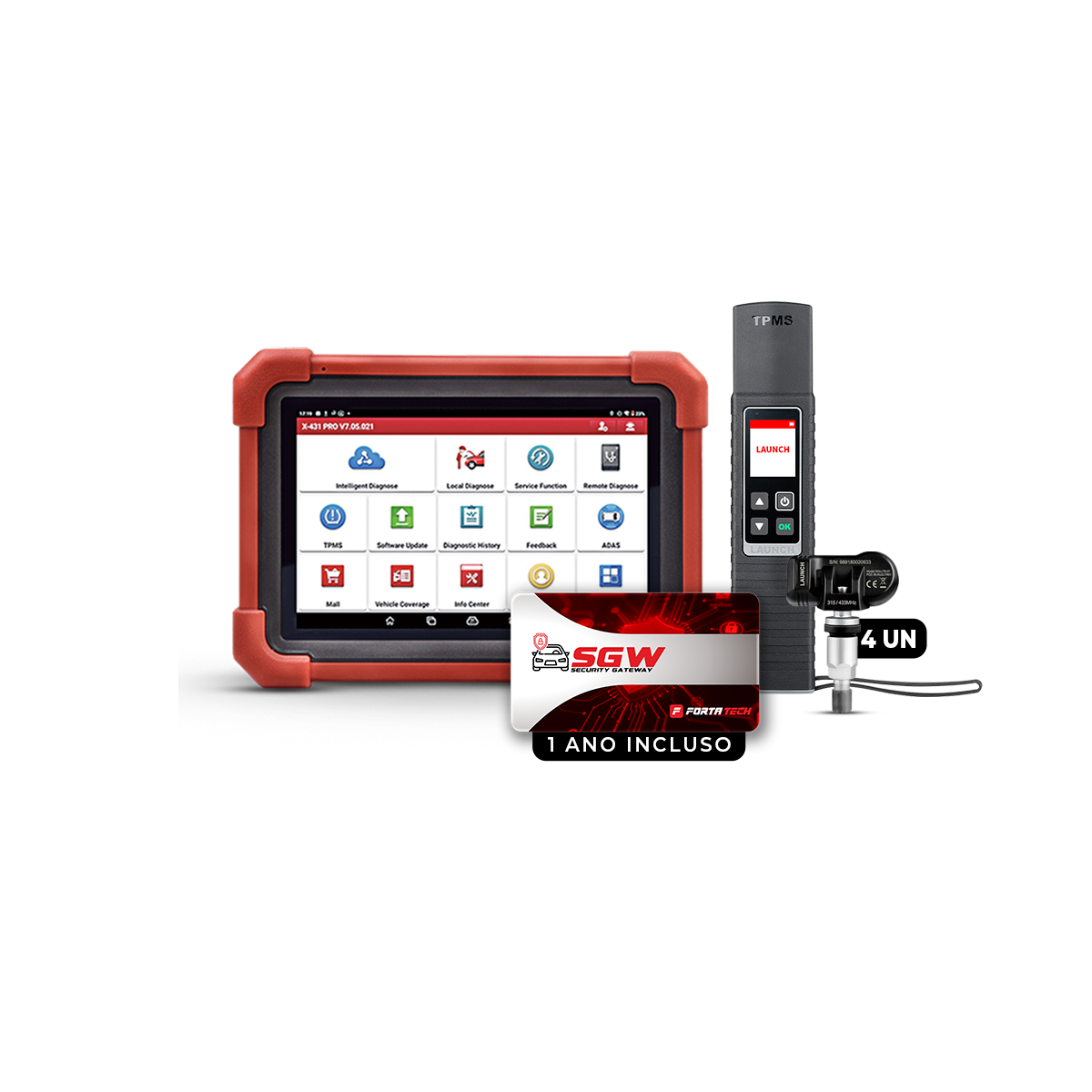
PRO SE + X431 TS Gun Combo + 4 TPMS Valves
LAUNCH X-431 PRO SE + TS Gun + 4 TPMS valves Combo: Complete diagnostic and sensor programming in one kit.
Product Highlights
1-year warranty
Via WhatsApp
Full HD touchscreen
Pairs well with
In stock! Ships in 2-3 business days.
Free shipping and returns
If you have any questions, we're happy to help. We'll get back to you as soon as possible, within 24 hours on business days.
-
Shipping Information
We deliver throughout Brazil safely and quickly. Your products arrive well packaged and you can follow everything with the tracking code. Shipping is calculated automatically in the cart based on your postal code.
-
Customer Support
Our support team is always ready to help. We have specialists available to answer your questions about products, orders and returns. We are here to offer fast and efficient solutions.
-
Contact Us
Contact us by phone at (11) 3000-0000 with any questions about our products. Our team is ready to help with all the information you need.
-
FAQs
At the end of this page you will find a section dedicated to answering your questions in all the detail you need.
More about the product
Description
X-431 PRO SE Professional Combo + TS Gun + 4 TPMS Sensors
Complete diagnostics and tire calibration in one package
Increase your workshop's efficiency with a complete and smart combo.
The Launch X-431 PRO SE automotive scanner is already a benchmark in advanced diagnostics. Now, combined with the TS Gun – a TPMS reprogramming and reading tool – and a kit with 4 universal sensors, you have a complete solution for vehicle diagnostics and tire pressure monitoring system (TPMS) maintenance in your hands.
What's included in the combo:
Launch X-431 PRO SE Scanner
Complete diagnostics for hundreds of manufacturers
Advanced functions: reset, programming, coding, active and bi-directional tests
Online updates and support in Portuguese
Equipment approved by Launch Brazil
X-431 TS Gun (Launch TPMS Tool)
Activation, reading, and cloning of TPMS sensors
Reprogramming of Launch universal sensors
Lightweight, fast, and easy to operate
Compatible with the PRO SE via Bluetooth
4 Universal TPMS Sensors
Replace original sensors with full compatibility
Easy programming via TS Gun
High durability and precision
Why choose this combo?
More services, more profit: offer complete diagnostics and TPMS maintenance in a single service visit.
Routine agility: the TS Gun connects directly to the PRO SE, streamlining the technical workflow.
Cutting-edge technology: equipment with international standards from Launch, a global leader in diagnostics.
Smart purchase: by purchasing the combo, you save compared to buying the items individually.
Ideal for:
Multi-brand auto repair shops
Automotive service centers
Tire and suspension maintenance services
Automotive technicians who want to expand their services with TPMS
Specifications
Caution
WHAT'S IN THE BOX

X-431 TS Gun
4 universal TPMS valves

DBSCar VII VCI interface

Diagnostic cables and accessories

Equipment charger

Carrying case

Instruction Manual


